All Document Reader and Viewer4.0.30
Continue to app
Free Version
Publisher Description



is a application thats helps you viewing of Office documents such as Word, Excel, PowerPoint, Text and pdf files.
All Document Reader-View all Document
app helps you to open all file or view any document on your mobile.
All Document Reader-View all Document
is used to view, read, and share all kinds of document files. This is an android document reader and viewer for reading multiple kinds of files like docx, ppt, excel and xls. Take your lectures in any format of documents and read them easily in your phone this application will just work for you like a portable pocket document reader .Prepare your presentation, watch out your class schedule in a data sheet. Open your office tasks notes and school lectures on your phone easily with a click on this application as you can open your data sheets that are made on xls files and word documents, pdf files. Explore your Cell phone and lookup for the files like text formatted files, docs files to view them on your android phone.
All Documents Reader
is a PDF viewer used to view all pdf files.
Document Opener , Document Manager & Documents Viewer
Word Docx Reader & Viewer
Read & View all kind of word Documents from your Phone
Simple and elegant reading interface of All document Reader
PDF reader & Viewer
Fast open and view PDF files in PDF files
Find your desire File With Simple Search Option
Print and share PDF files through another app
Zoon in , Zoom Out Search and Scroll Of Pdf Files
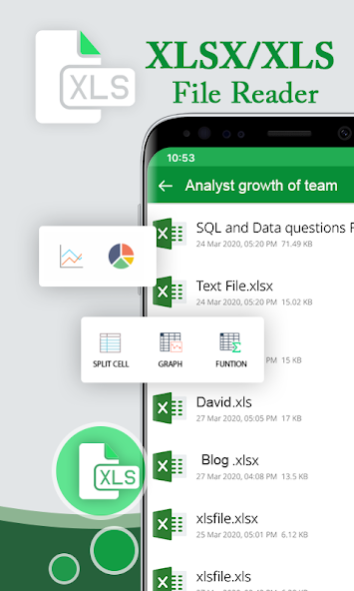
Xlsx Xls Excel document Reader & Viewer
Open Read and View All Excel spreadsheets
XLS & XLSX formats are supported
View file xls & xlsx, with Good View Quality
PPT & PPTX File Reader & Viewer
Read & View PPT files, pptx reader with Best resolution and Quick performance
Delete , Make Favourite & Seach & Share PPT Files
Main Features of All Document Reader-View all Documents
✔Document reader, All files reader and viewer
✔Word file reader, Read your docx files
✔PDF Viewer, Read and view all PDF Files
✔Text files reader, Read your Txt format files
✔All presentation files reader and viewer
✔Prepare your office presentation files
✔School lectures docs files reader
✔ Files reader & Files Opener
✔,xls, Xlsx file reader & Viewer
✔Office Work files reader and manager
✔Manage your office work files on your Cell phone
✔Office presentation manager and ppt reader
We are working Our best on making the
All Document Reader-View all Document
application better and more useful for you. We need your support to get going. Please feel free to email us for any queries, suggestions. We would love to hear from you. If you have enjoyed any feature of the All Document Reader-View all Document app, do not forget to rate us on play store.
About All Document Reader and Viewer
All Document Reader and Viewer is a free app for Android published in the PIMS & Calendars list of apps, part of Business.
The company that develops All Document Reader and Viewer is Randierinc. The latest version released by its developer is 4.0.30. This app was rated by 2 users of our site and has an average rating of 4.5.
To install All Document Reader and Viewer on your Android device, just click the green Continue To App button above to start the installation process. The app is listed on our website since 2024-01-24 and was downloaded 636 times. We have already checked if the download link is safe, however for your own protection we recommend that you scan the downloaded app with your antivirus. Your antivirus may detect the All Document Reader and Viewer as malware as malware if the download link to com.randierinc.alldocument.viwer.reader is broken.
The company that develops All Document Reader and Viewer is Randierinc. The latest version released by its developer is 4.0.30. This app was rated by 2 users of our site and has an average rating of 4.5.
To install All Document Reader and Viewer on your Android device, just click the green Continue To App button above to start the installation process. The app is listed on our website since 2024-01-24 and was downloaded 636 times. We have already checked if the download link is safe, however for your own protection we recommend that you scan the downloaded app with your antivirus. Your antivirus may detect the All Document Reader and Viewer as malware as malware if the download link to com.randierinc.alldocument.viwer.reader is broken.
How to install All Document Reader and Viewer on your Android device:
- Click on the Continue To App button on our website. This will redirect you to Google Play.
- Once the All Document Reader and Viewer is shown in the Google Play listing of your Android device, you can start its download and installation. Tap on the Install button located below the search bar and to the right of the app icon.
- A pop-up window with the permissions required by All Document Reader and Viewer will be shown. Click on Accept to continue the process.
- All Document Reader and Viewer will be downloaded onto your device, displaying a progress. Once the download completes, the installation will start and you'll get a notification after the installation is finished.
Program Details
System requirements
Operating systems
Android
Download information
File size
N/A
Total downloads
636
Pricing
License model
Free
Price
Version History
Here you can find the changelog of All Document Reader and Viewer since it was posted on our website on 2020-06-10. The latest version is 4.0.30 and it was updated on Soft112 on 13 October, 2026. See below the changes in each version:
version 4.0.30
posted on 2024-01-24
version 3.3
posted on 2022-04-11
fix bugs
version 2.2
posted on 2020-11-18
Crashes Fixed For Android 8
version 2.1
posted on 2020-10-14
✔View Files From SD Card and From Whtsapp Added
version 2.0
posted on 2020-10-02
In App Products Added-Ad free Option
version 1.9
posted on 2020-09-30
In app purchase Added
version 1.7
posted on 2020-09-15
Bugs and Creashes fixed
version 1.4
posted on 2020-08-24
All Document Reader-View All Document
Bugs Fixed
version 1.3
posted on 2020-06-26
➽All Documents Reader-View all Document
➽Rename File Option Added
➽Star-Favorite Option Added
➽Remove Minor Crashes
version 1.2
posted on 2020-06-01
✔All Document Reader-View all Document
✔New Features Added-PDF Settings
✔Remove minor Bugs & Crashes
